

Liveness Check
Kora’s Liveness Check SDK provides a reliable and simple way to integrate the Liveness Verification API into applications across multiple platforms. This tool helps merchants confirm that their customers are genuine, live individuals during identity verification. It also helps prevent fraud by detecting and blocking impersonation, deepfakes, and spoofing attempts that rely on static images or pre-recorded videos.
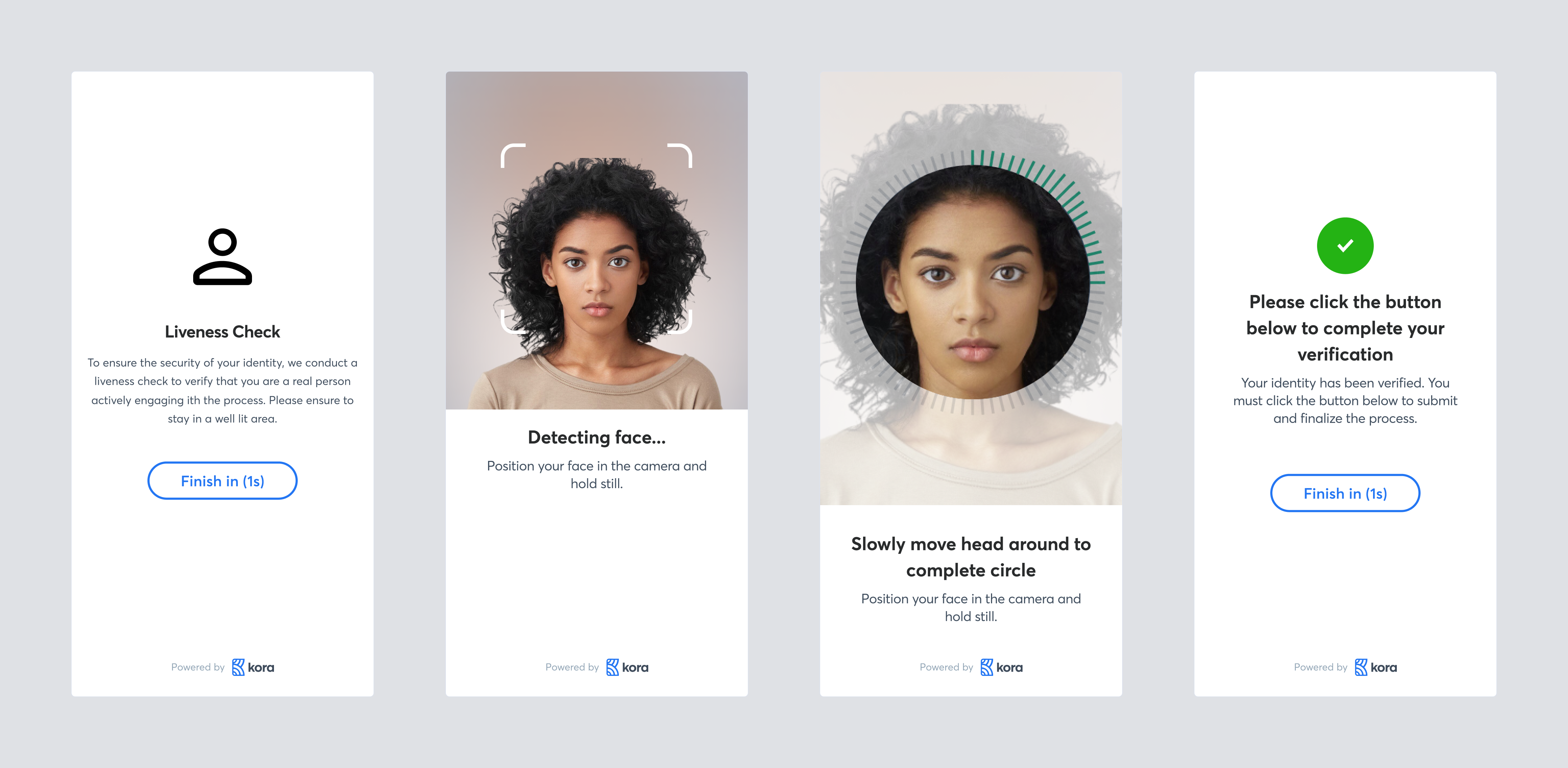
Understanding Checks Liveness Verification
The process involves detecting subtle, involuntary human movements and characteristics, such as micro-expressions, changes in pupil size, and 3D depth perception. By meticulously analyzing these dynamic features, the API generates a reliable verification result. This result is specifically engineered to be seamlessly integrated as a foundational component of a comprehensive identity verification workflow, typically alongside identity document (ID) matching. The successful completion of a liveness check significantly mitigates risks associated with presentation attacks, where fraudsters attempt to use non-live media to impersonate a legitimate user.
Liveness Check Verification Setup
Use Liveness Verification through our SDK to confirm that a real user is present during identity checks.
The SDK manages the full process for you:
- Set up the Web SDK or Mobile SDK integration.
- Create a verification session with liveness enabled.
- Guide the user through a short liveness interaction.
- Receive and act on the verification outcome.
View Verification Status
Check the outcome of your verification flow using the SDK:
- Retrieve the verification result from the Web SDK or Mobile SDK.
- Review the status of each verification step (e.g., Liveness, Selfie, Document).
- Take action based on the result: approve, reject, or flag for manual review.
Key Features
- Cross-Platform Support: Available for React Native, Web, and Flutter with consistent APIs.
- Simplified Integration: Unified service APIs streamline the process of triggering liveness verification flows.
- Flexible Liveness Types:
- Active Liveness: User performs prompted actions (blink, turn head, say phrases) for higher-assurance checks.
- Passive Liveness: System detects signs of life from natural video/image streams for frictionless flows.
- Auto-Detection: Backend automatically determines the best verification type based on risk assessment.
- Typed Usage and Autocompletion: Seamlessly integrates with TypeScript for enhanced development.
- Post-Verification Abstraction: Provides callback mechanisms for gracefully handling errors and post-verification actions
- Customizable UI: Features customizable branding and presentation modes
- LLM-Friendly Structure: Features intuitive method naming and predictable workflows
Core Prerequisites (All Platforms)
Before using the Liveness Check SDK on any platform, ensure you have:
- API Access: A valid Kora public key for your merchant account
- Camera Permissions: Your app has camera access permissions configured for the target platform.
Platform Support
Current Platform Support:
| Platform | Status | Version |
|---|---|---|
| React Native | ✅ Available | v0.1.0+ |
| Web | ✅ Available | v0.1.0+ |
| Flutter | ✅ Available | v0.1.0+ |
Important Links
Updated 3 months ago